
June 26th Release
On Friday, June 26th, we released a series of upgrades to the CoFormIt application along with a few bug fixes, one of which was a pretty embarrassing regression.
What we added
- Save As (save current builder state as a new form)
- Similar to "Save As" in the file menu or a document editing application like MS Word or Open Office or a Spreadsheet, you can now save a form as a new form in order to maintain your work without having to change the form you have open.
- Expiring user accounts
- Admins can automatically deactivate a user after a set date, meaning you are not charged for them and they will lose access to CoFormIt at midnight of the date you choose. The user will receive a notification, assuming the account has notifications enabled.
- Smart groups (rule-based group membership)
- Allow group membership to be dynamically determined based on user attributes. The current list of attributes is limited, but it's a start.
- Admins can view draft submissions
- When reviewing a form's submissions, form admins can now view/delete draft and/or complete submissions.
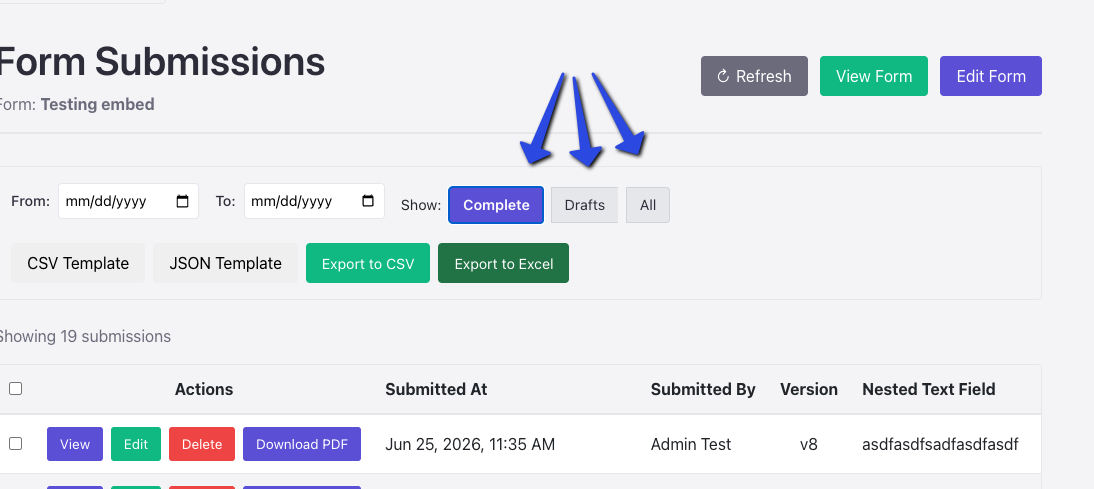
- When reviewing a form's submissions, form admins can now view/delete draft and/or complete submissions.
- Nested-forms polish (cycle copy, Nested badge)
- Nested forms got a little love here. We found a bug (addressed below), and we also wanted users to be able to tell when a submission came in through a form that was nested inside another form. Additionally, permission propagation from the parent form was cleared up, allowing the parent to override the child form's editing permissions for consistency.
- Submission roles as review-stage reviewers
- As with nested forms, this gets a little in the weeds, but we are now allowing review-workflow administrators to assign a review step to a submission role — either a role already used elsewhere in the workflow or one defined on the form — so whoever fills that role on a given submission becomes its reviewer.
Things we should have had all along ;)
- Self-service email change
- Yeah, users can update their email — probably should have allowed that on day one. They will have to verify they have access to the new email, and the old email will get a notification of the change.
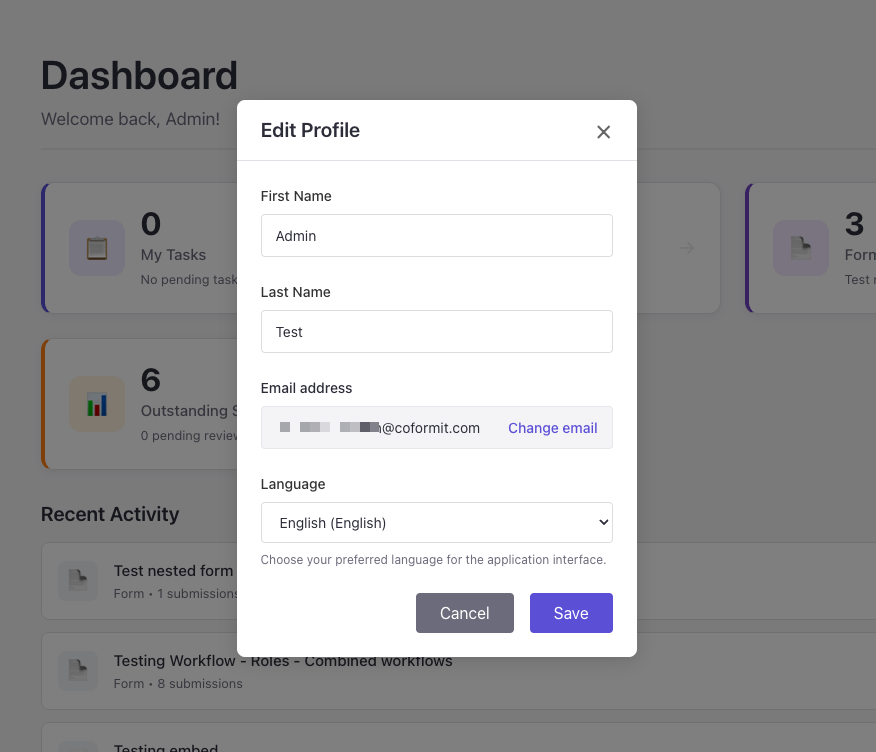
- Yeah, users can update their email — probably should have allowed that on day one. They will have to verify they have access to the new email, and the old email will get a notification of the change.
What we fixed
- Analytics counts submissions / active users + analytics dashboard help
- We discovered that the analytics dashboard administrators have access to was not properly counting users, total submissions, and approval rates. Starting with the June analytics that is fixed; unfortunately, past months will not be.
- Linked nested-child edit propagation + permission caveats
- The previous, June 17th, release appears to have prevented the editing of nested-form submissions where the nested form was linked and not embedded in the parent form. That is fixed now.